Custom Product Pages (CPPs) let you show the right story to the right people. They match audience intent with focused visuals and copy. When you read results in ASA reporting, you close the loop from idea to impact. You learn faster, spend smarter, and ship pages that convert.
CPPs and Apple Search Ads (ASA)
A CPP is another version of your App Store product page. It can use different screenshots, app previews, and promotional text. Each page has a unique URL. You can localize it and submit it for review. You can create up to 35 CPPs per app.
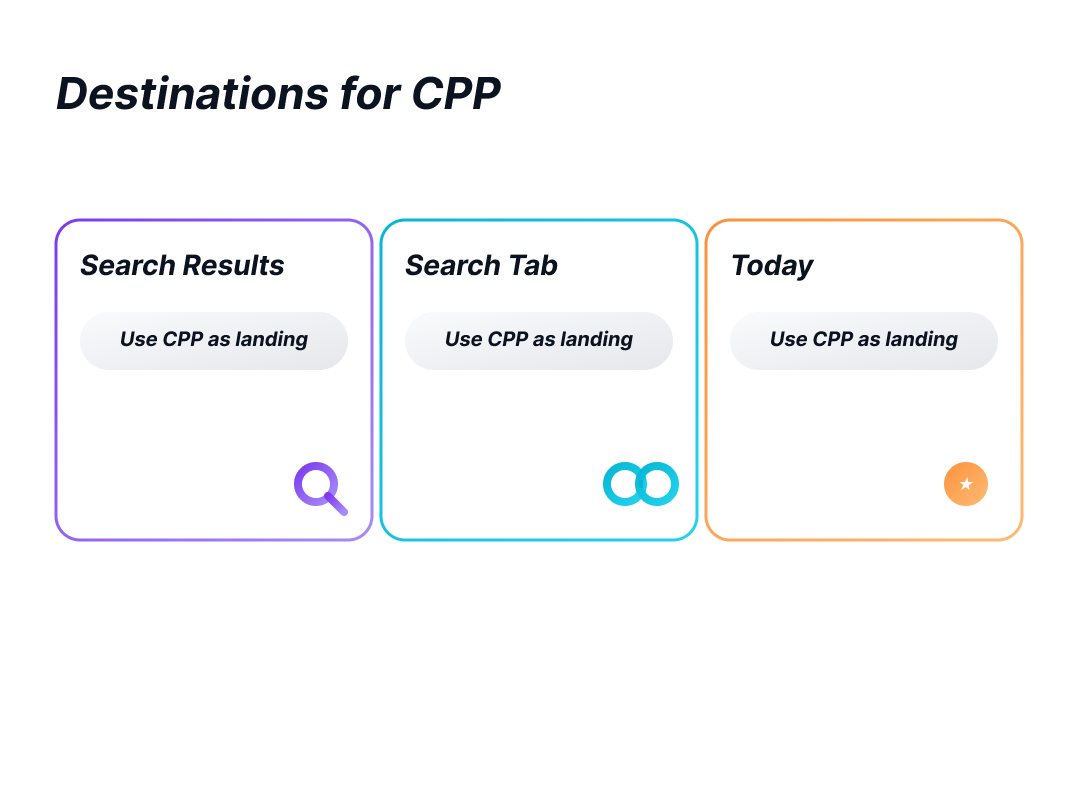
CPPs connect directly to Apple Search Ads (ASA). In search results ad groups, you create ad variations and point each ad to a specific CPP. This aligns the keyword theme, the ad, and the page. You can also choose a CPP with a deep link so users land in a fitting spot after install. CPPs can be used as destinations across placements, including Search results, the Search tab, and the Today tab.
One Audience, One Promise, One Change
People arrive with different goals. Some search your brand and want proof. Some compare you to a rival. Others want one feature or a seasonal deal. A single page cannot serve all of them well. CPPs let you align message and intent, which tends to improve relevance and conversion.
Treat each audience as one clear bet. Write a short hypothesis in plain words. Who are they? What must they see first? Why should this improve results? Make a small but visible change that expresses this idea. Keep the rest stable. Send only matching queries to that page.
From Idea to Live
Create the page in App Store Connect. Start from your default page or from a clean slate. Change only what the audience needs to see first. Keep brand basics, layout, and tone consistent. Use short internal names so the team can find the right page. Submit for review and plan your next pages in a backlog.
In ASA, open the search results ad group. Create an ad variation and select the matching CPP as the destination. Make sure the keywords in that ad group fit the audience. Keep a control ad that points to the default page. You can track impressions, taps, average CPT, installs, and more for each ad variation in the Ads dashboard.
ASA Reporting: Where to Look and What to Track
Use ASA reporting dashboards for quick checks and trends. Use Custom reports for repeatable slices and scheduled exports. Typical metrics include taps, TTR, CR, CPT, CPA, spend, and installs. Split by Ad (ad variation), Ad Group, Keyword, Match Type, Country or Region, Device, and Date. View-through and total-install metrics appear in dashboards, while custom reports exclude view-through and total install metrics.
App Store Connect vs. ASA reporting
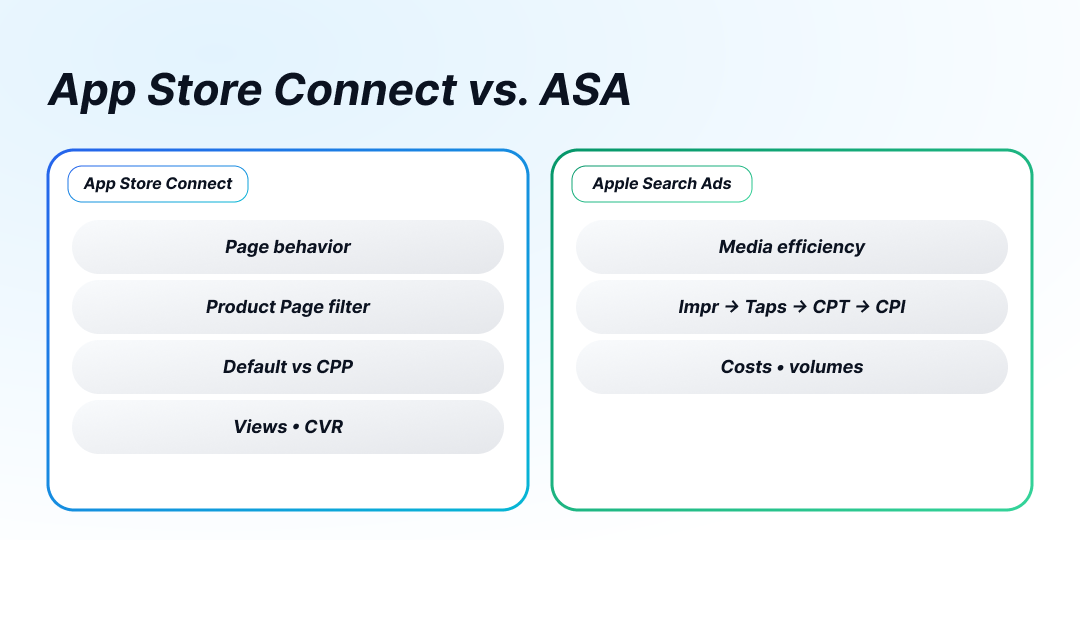
Use App Store Connect to understand page behavior. Filter by Product Page to compare the default page and each CPP on views and conversion. This isolates the page effect.
Use ASA reporting to understand media efficiency. It shows where impressions came from, how many taps you earned, how much you paid per tap, and what each install cost. Expect small deltas between systems due to different windows and counting rules; compare like-for-like periods and trends, not single days.
Installs
ASA separates new downloads and redownloads. Redownloads cover people who had your app before or install it on another device after interacting with an ad. Both can be valuable, especially for brand and seasonal traffic.
ASA also supports view-through measurement. A user may see your ad and install later without tapping; tap-through uses a 30-day window, view-through uses a 1-day window.
Placements with a Clear Purpose
Search results carry the strongest intent and are ideal for testing CPPs. The Search tab and Today tab can extend reach and build consideration. If you add these placements, check that the CPP’s promise still fits the traffic they bring.
Design Choices that Move the First Screen
The first screenshot does the heavy lifting. Match it to the query’s job to be done. Use short, high-contrast copy with one promise. Keep device frames, background, and typography consistent across CPPs so you measure the idea, not random styling. Add social proof when it removes doubt. Keep the page light so it loads fast. If you deep link, make the first run in-app mirror the promise on the page.
Guardrails that Keep Tests Honest
Run one hypothesis per ad group and one CPP per ad variation. Name assets so the audience and idea are clear. Decide stop rules before you launch: a minimum time window and a traffic floor. Stick to them. Retire old variations before you add new ones. Avoid mixing many audiences in one group. Keep seasonal pages on a clock and close them when the moment passes.
Weekly Cadence that Compounds
Pick a weekly slot. Review ASA reporting at the ad-variation level. Confirm the same direction in App Store Connect using the Product Page filter. Decide: scale, iterate, or retire. Write one sentence on why and move on. Small wins add up when you ship every week.
FAQ
When Should I Use A Custom Product Page (CPP)?
Use a CPP when one message can’t serve every intent. Brand queries need proof, competitor terms need contrast, and feature/seasonal terms need focus. Matching page to intent lifts tap-through and conversion.
What Does “One Audience, One Promise, One Change” Mean?
Pick a single audience, lead with one clear promise, and change only what delivers that promise (typically the first screenshot, headline, or preview). Keep everything else stable to measure the idea— not style noise.
How Do I Connect CPPs To Apple Search Ads (ASA)?
Create the CPP in App Store Connect and submit for review. In ASA, add an ad variation in the target ad group and set that CPP as the destination. Send only matching keywords to that group to keep the query → ad → page aligned.
Which Metrics Should Decide A Winner?
Judge both media efficiency and page behavior. In ASA: taps, TTR, CPT, installs, CPA, spend. In App Store Connect: Product Page views and conversion for the CPP. Winners attract qualified taps and convert those views.
What Should I Change On The Page First?
Lead with one promise that matches the keyword’s job-to-be-done. Reorder the first screenshot, use a short high-contrast headline, and keep frames/background/type consistent across CPPs so differences reflect the concept, not design changes.
Conclusion
CPPs are focused promises for real people. Tie each page to one clear idea, send the right traffic, and validate it in ASA reporting. Keep pages simple so the message lands fast. Keep tests small so you learn quickly and don’t waste budget. Watch the signals, spot what’s working, and double down. If it’s not moving the needle, change one thing at a time and try again. Let the data steer your next move.