Most paid installs die without scrolling. An ad promises one thing, the page claims another, and the tap now becomes a bounce. Search is different, as intent is available for every query. The ad intent must be matched, and the page intent must be the same. Foe more information check this guide.
Forget the "creative sets." Use Ad Variations created with Custom Product Pages (CPPs) instead. "Deep link," where Apple allows embedding. TTR and CVR can increase while CPT and CPI decrease. This article shows how.
What Is an Ad Variation and Why Do They Matter?
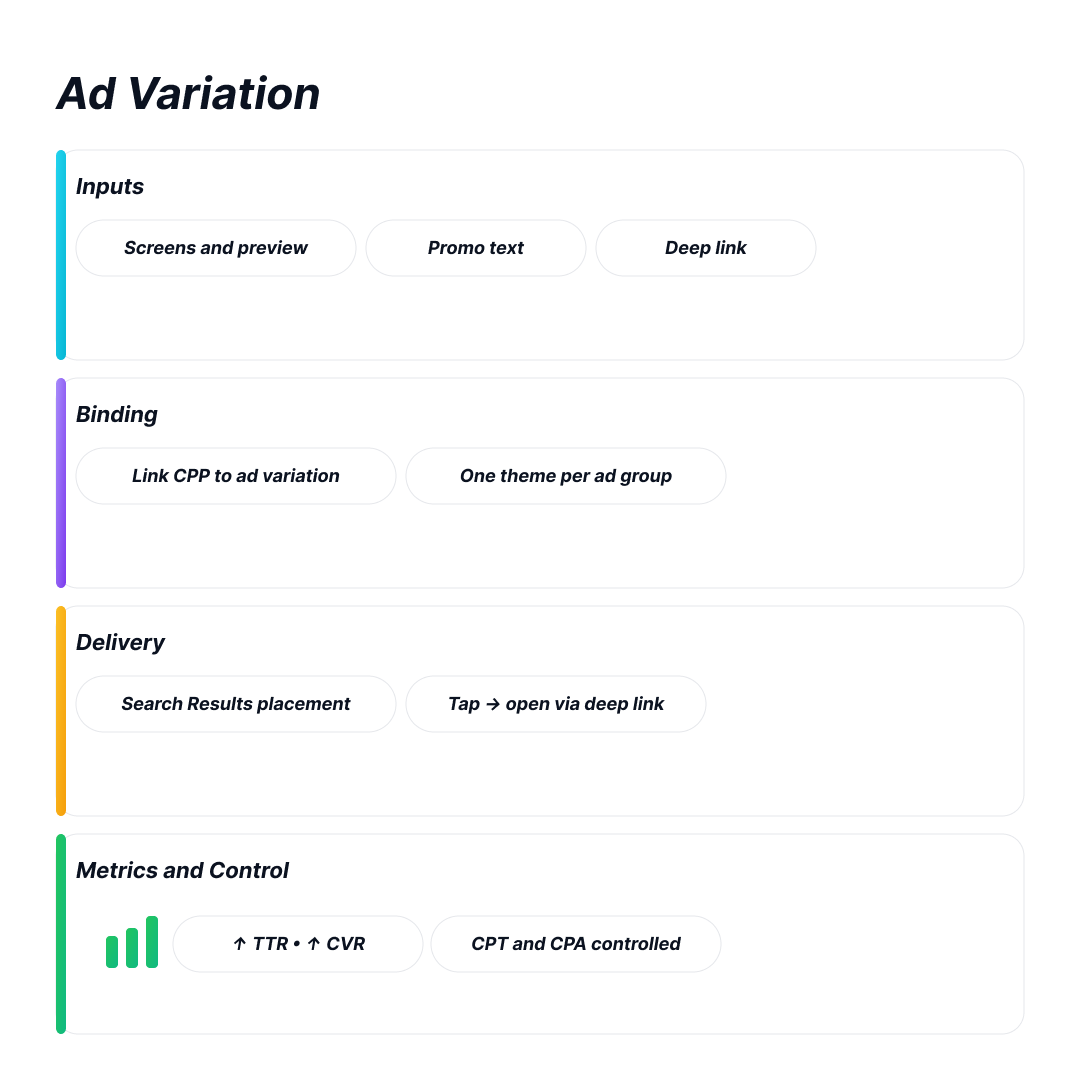
Ad Variations are Search Results ads linked to a specific Custom Product Page. The ad pulls screenshots, app previews, promo text, and, where available, the deep link from that page.
They are essential because they align the creative with the keyword focus. One theme per ad group makes testing easier. It is common for teams to experience a noticeable increase in tap-through and conversion rates. The cost for a tap and install is still controlled.
Custom Product Pages: What They Are and Why They Matter
Custom Product Pages are unique pages of the App Store for a specific app with unique copy and custom materials. These pages can be translated and modified without launching a new app. They allow the addition of deep links on newer iOS versions and custom organic search keywords as well.
Custom Product Pages augment the relevance of the ad's landing page. This increases the likelihood of a tap and builds user trust. This allows the execution of rapid and targeted tests to determine the best conversion rates. These benefits combine to create a greater conversion rate over time.
What Changed and Where It Lives
Ads are no longer set up using "creative sets." Instead, you create Ad Variations within Search Results ad groups using a CPP you created in App Store Connect. Each ad group may contain one active custom ad. If that ad is either paused or incompatible, the default ad is served. This keeps the delivery stable while you run your tests.
How CPPs and Ad Variations Work Together
CPPs are alternate product pages. Each may contain unique screenshots, app previews, promo text, and keywords. You are allowed a maximum of 35 CPPs for each app, and you can also localize them. A unique URL identifies each CPP. In 2025, Apple enhanced keyword assignment for CPPs in search results. Apple also enhanced "deep links" that open a particular screen on iOS or iPadOS 18 and later. After a minimum of 5 first-time downloads, App Analytics displays each CPP's impressions, downloads, and conversion metrics.
You create ad variations in Apple Ads by attaching one CPP to a Search Results ad group. The dashboard reports metrics for each variation and also for your default ad. You can see impressions, taps, average CPT on the ads, and installs.
Why this Pairing Improves Conversion
Search terms are much more precise in intent.
As soon as users see the first screenshot, the promo text, and the description conveniently explains it, they tend to click and bounce at a lower rate. Apple uses ad variations to position ads as more relevant to the content within Search Results ads and uses CPPs, not a single generic page.
Designing CPPs that Convert
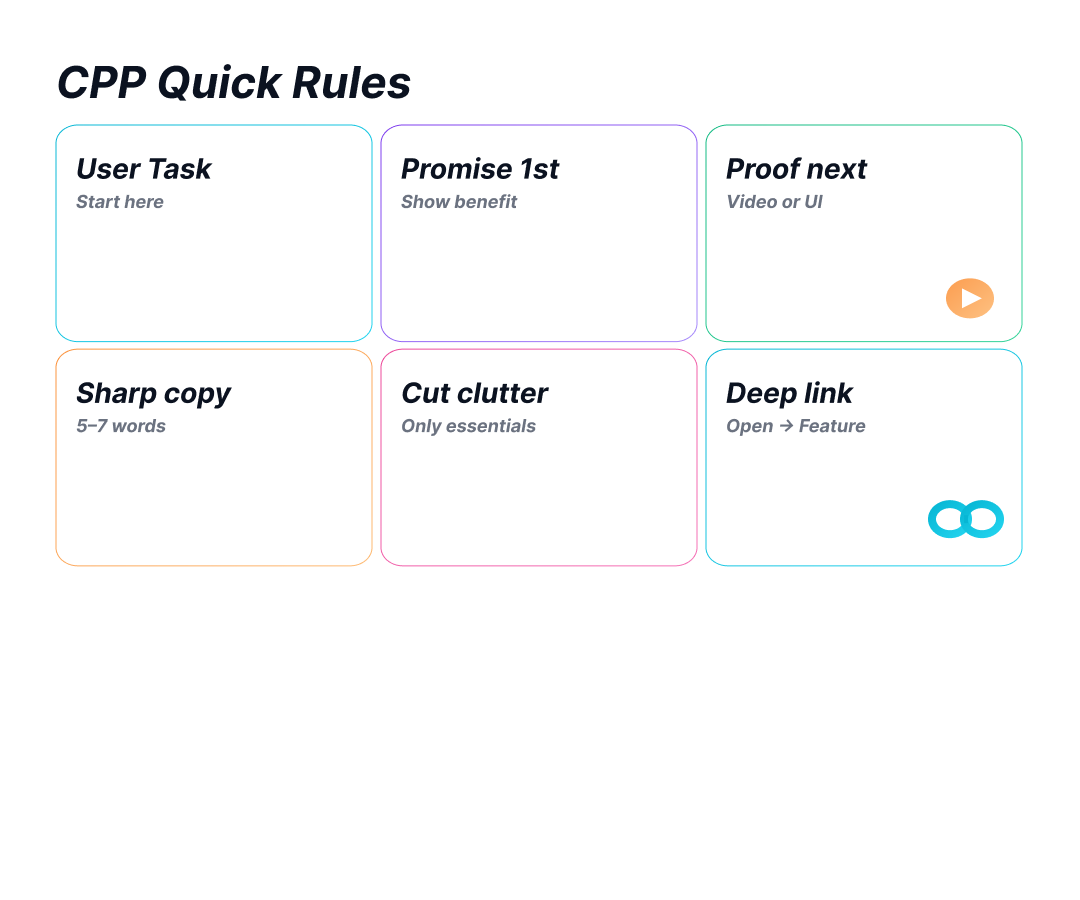
Start with the task a user wants to complete. Make the main benefit clear in the first frame. Back it up with proof immediately after. Make the copy as brief and sharp as possible. If you are using video, there is proof to show the benefit. Remove anything that inhibits the story. Add a deep link so users and "Open" can take users monodirectionally to the promised feature whenever the Operating System permits it.
Placements and Compatibility
You create and manage ad variations inside Search Results ad groups. For Today tab campaigns, you still pick a CPP. It becomes the tap destination and can carry a deep link on iOS 18 or later. Plan coverage by placement with this in mind.
Account Structure that Lets Creative Win
Give each intent a clear home. Separate Brand, Category, Competitor, Feature, and Discovery. Then each Search Results ad group can run one focused CPP that mirrors its keyword theme. Use negatives to keep themes clean and tests readable. This setup matches how Apple handles ad variations and helps you isolate lift.
Testing Without Noise
Test one change at a time. Try the promise, the proof, the value prop, the deep link, or the locale. Run long enough to see real effects. Read the funnel in order: impressions, taps (TTR), installs (CVR), then CPT and CPI. Use the Ads dashboard for early reads. Use your BI or MMP for deeper post-install checks. Apple’s “Manage Ad Variations” view shows the core early metrics.
Analytics that Actually Help
Apple lets you dig deeper into App Analytics with new metrics for every CPP. You’ll see the widget only after the first five downloads for privacy reasons. You can filter the data by product page, page type, and other criteria. The second update tracks redownloads, which count when a returning user reinstalls the app. Keep these redownloads separate from first-time downloads for a clean comparison with your MMP.
Specs and Gotchas Before Launch
Each ad group can use a single active custom creative. The default visual can serve as a fallback ad.
Deep links from CPPs will only open on iOS and iPadOS 18 and newer, so design a fallback for older devices.
If you use age or gender targeting at the ad group level, the ad must skip the deep link. Also, users with Personalized Ads disabled will never see age or gender segments, which can shrink your audience.
Ops, Review, and Scale
CPPs are review-ready even if a new app version hasn’t been submitted. You cannot change a CPP’s creative, promo text, or keywords until Apple finishes the review. If you need edits, withdraw the CPP, adjust the changes, and resubmit. Each CPP will keep its stable product page URL.
When you revise a CPP that’s already been approved, Apple preserves the original URL and then releases the updated version once the new version passes the review. If your team is large, you can speed up naming, rotation, and audit work by tapping Apple Ads Campaign Management and App Store Connect APIs.
Common Pitfalls and Quick Fixes
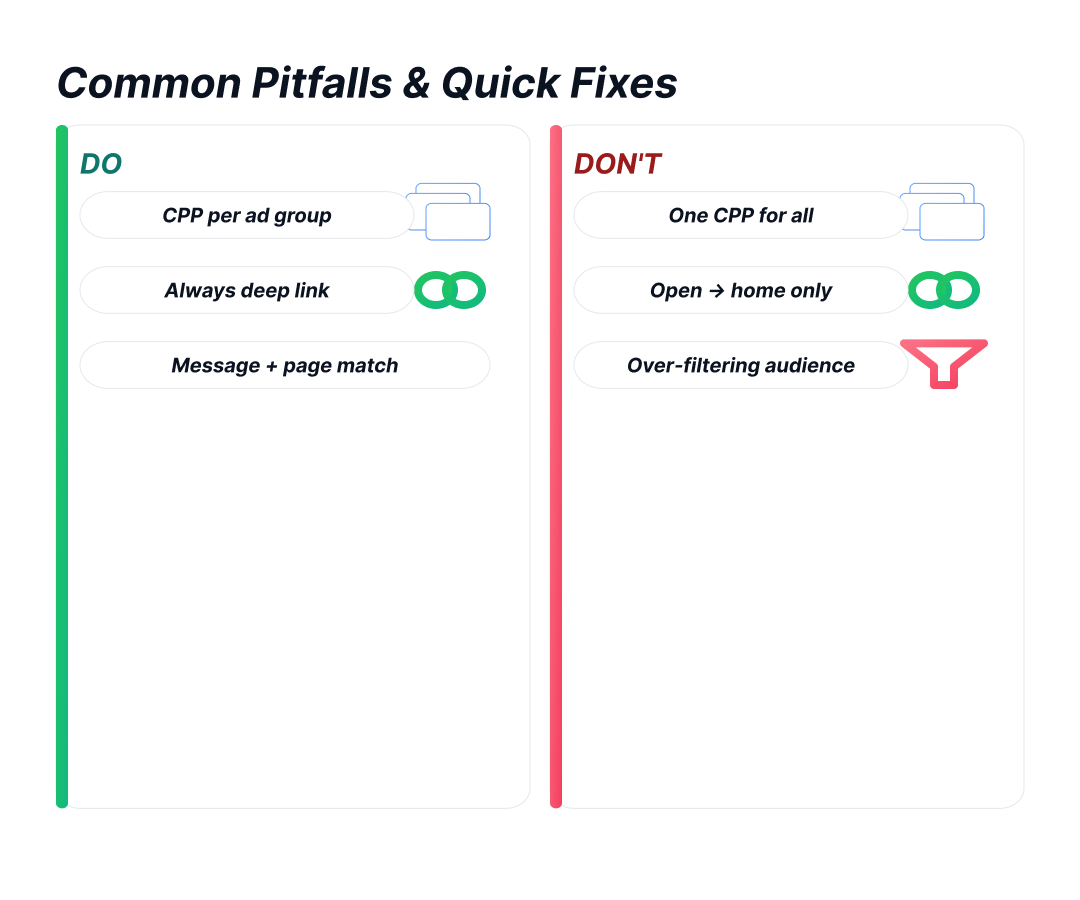
- One CPP to Rule Them All: Never cram every ad group under a single CPP. Create one for every group so the copy aligns tightly with the keywords.
- Deep Links are Non-Negotiable: Always include deep links. When users tap your “Open” button, sending them directly to the relevant part of your app cuts unnecessary steps and speeds up conversions.
- Avoid Over-Filtering: Don’t obsess over modifying your audience. Start with relevant messages and landing-page matches. Overly narrow demographic filters can interfere with deep links and hurt reach.
Putting It Into Practice
Focus your first sweep on these four intents: Brand, Category, Competitor, and Feature. Write a brief for each, then build one CPP per intent with a firm promise and solid proof. Include deep links where possible and attach each CPP as a custom ad group to its corresponding Search Results ad.
Launch the groups, monitor early Apple Ads metrics, and maintain a log of what you changed and why. If you spot positive movement, continue to secondary intents and create seasonal variations.
Launch the groups, monitor early Apple Ads metrics, and maintain a log of what you changed and why. If you spot positive movement, continue to secondary intents and create seasonal variations.
FAQ
What Are Ad Variations?
Ad Variations are Search Results ads linked to a specific Custom Product Page (CPP). The ad pulls CPP's screenshots, app previews, promo text, and, when available, its deep link.
Where Do Ad Variations Work?
They run inside Search Results ad groups—created, managed, and measured there.
What Is A Custom Product Page (CPP)?
A CPP is an alternate App Store product page with its own screenshots, previews, promo text, and keyword set, created in App Store Connect.
How Many CPPs Can I Create?
You can publish up to 35 CPPs across iPhone and iPad for a single app.
Do CPPs Support Deep Links?
Yes. You can add a deep link so “Open” routes to a specific in-app screen on iOS/iPadOS 18 or later.
Conclusion
Ad Variations built on strong CPPs align promise, proof, and destination for each query theme. The tools are simple. The craft is a message match, a sharp first frame, and a landing page that keeps the promise. Do this well, and you raise conversion without wasting taps.