Apple Search Ads can be your cleanest iOS channel. Still, spending time alone won’t get you there. You need a tight ASA account structure, solid attribution, and a view of how paid taps shape organic growth. This guide shows the metrics, models, and habits that make ASA reporting reliable and useful.
The Metrics that Matter
Apple’s dashboard gives impressions, taps, installs, and cost. From those you get TTR (tap-through rate), CPT (cost per tap), CR (install rate), and CPA (cost per acquisition). Apple documents these definitions, including TTR and CPT, in Help resources for reporting and the glossary.
CPA tells you the price of one attributed install. ROAS goes a step further: revenue divided by ad spend, often shown as a percent. Example: $2,000 revenue on $1,000 spend is 200% ROAS. Use it for near-term payback and for LTV views.
How Attribution Actually Works
Apple Ads attribution is simple and strict. By default, Apple credits an install for a tap within 30 days. If you’re counting views, the window is one day. MMPs can mirror this but may vary by 0–30 days depending on your setup.
Apple also verifies installs at the App Store level, while many MMPs define “install” at first open. These differences explain common ROAS/CPA mismatches across tools.
If you integrate an MMP (Adjust, Singular, AppsFlyer), you’ll see Apple Search Ads conversions via Apple’s AdServices/Attribution API, with most partners aligning to a 30-day click window. Read more here.
Build an ASA Account Structure that Your Reports Can Trust
Good reporting starts with a clean structure. Create separate campaigns for brand, category/generic, competitor, and discovery, each with coherent ad groups and match types. This design isolates intent, keeps bids comparable, and lets you read CPA and ROAS by theme without noise. Apple’s own best-practice diagrams use this four-bucket model.
Keep naming strict. Put match type, market, language, and objective in names so your BI joins are easy and your pivot tables stay readable.
ROAS Done Right
Decide which revenue you count. Some teams start with day-0 or day-7 purchases. Subscription apps often use billed revenue (net of trials) for early ROAS, then move to cohort LTV. Whatever you choose, write it down and keep it stable.
Work in cohorts. Report ROAS for day-1, day-7, day-30 cohorts per campaign and match type. This shows if discovery clicks monetize slower than brand and prevents over-funding fast but shallow cohorts.
Mind the windows. If your MMP uses 30-day click attribution and Apple’s dashboard also uses 30-day taps, you’ll be close, but not identical. First-open vs verified-install and view-through rules can still create gaps.
CPA Done Right
Start with intent tiers. Brand exact usually has the lowest CPA. Generic discovery and competitor terms are pricier. Separate them so you can set target CPA by tier, not one global number.
Use CPT and CR to fix CPA. CPA ≈ CPT ÷ CR. If CPA is high, check if taps are expensive (bids too high) or if conversion rate is low (weak relevance or page fit). Apple’s metric definitions help you trace which lever to pull.
How Paid Ties to Organic
Search is a major discovery path on the App Store, so winning your brand terms protects both paid and organic outcomes. Apple has long stated that a large share of downloads originate from search; independent analyses have shown search driving roughly 59% of installs in 2020 globally, underscoring why brand visibility matters.
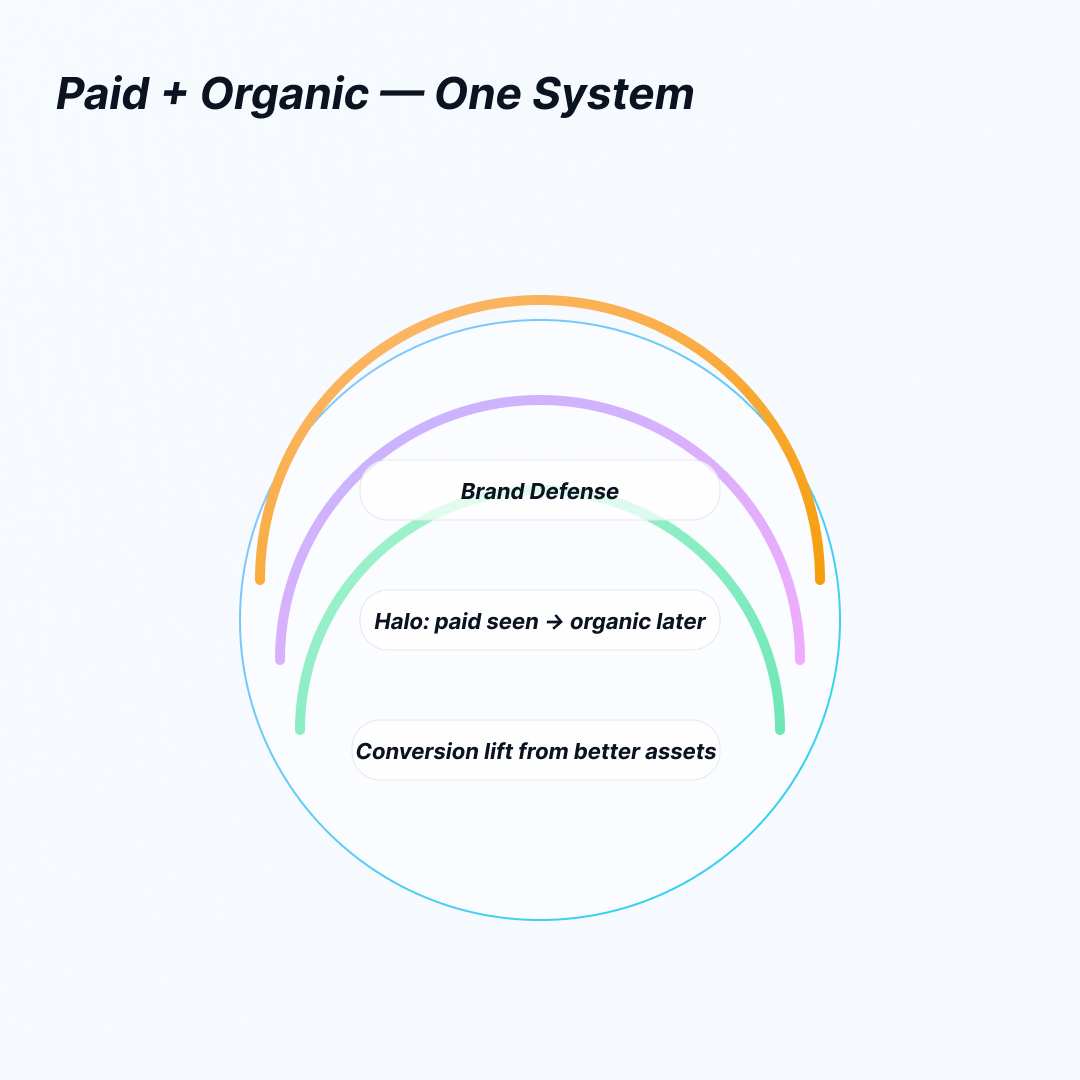
Expect three effects:
- Brand defense. If you do not bid on your own brand, a rival can take the top slot and drain your organic brand traffic.
- Halo. A user may see your sponsored listing today and return later to download organically. Apple’s model won’t always give ASA credit for that later organic install, so you should watch blended results around major launches.
- Conversion lift. Better store assets often lift both paid and organic. For example, ZiMAD reported a 36% conversion increase after localizing store screenshots for Japan, showing how creative testing can move blended performance.
A Simple Reporting Workflow You Can Keep
Start daily with platform health: spend, CPT, TTR, installs, CPA by campaign and match type. Each week, review ROAS by cohort and compare pre/post trends in App Store Connect impressions and conversion rate to spot halo and brand defense effects. Pull the same cuts in your MMP to reconcile gaps and document any window or definition differences.
Common Pitfalls
Mixing intents in one ad group makes CPA and ROAS meaningless. Skipping naming standards breaks your BI joins. Comparing Apple’s “verified install” to an MMP’s “first open” without noting the difference leads to bad calls. And changing attribution windows mid-test invalidates trend lines.
FAQ
How long is Apple’s attribution window for ASA?
Thirty days from a tap. One day from a view. Many MMPs can match this but may vary by 0–30 days, and they count installs differently.
Why don’t my Apple and MMP numbers match?
Apple credits App Store verified installs; MMPs often use first open. Windows and view-through rules can also differ. Expect small gaps.
What’s a sensible ASA account structure?
Separate Brand, Category/Generic, Competitor, and Discovery campaigns with clear ad groups and match types. Keep naming consistent.
What’s a “good” ROAS?
It depends on pricing and payback goals. Many subscription apps look for positive day-30 ROAS and a clear path to LTV breakeven.
Can ASA lift organic results?
Yes. Search is a major discovery path, so brand defense and halo effects matter. Creative improvements can also lift overall page conversion.
Conclusion
Trustworthy ASA reporting is built, not found. Define metrics, align attribution, and enforce a clean ASA account structure. Track CPA and ROAS by intent, then watch how paid taps shape organic. That’s how you scale without flying blind.